Your profile and email
Open the Account menu and choose Profile. You must be logged in. The Profile page has these tiles.
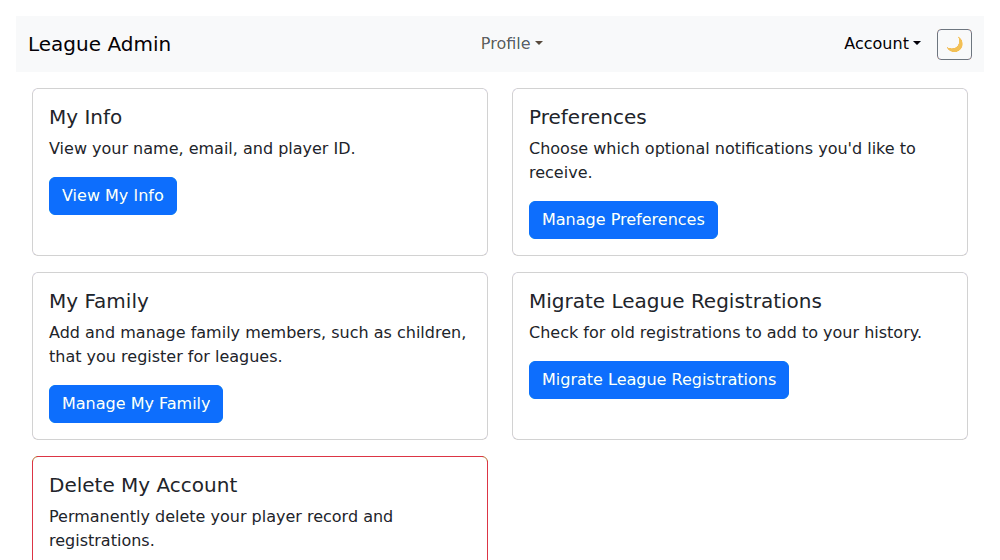
My Info
Shows your name, gender and email. Press Edit to change your first name, last name or gender, then Save. Your email is your login, so it is shown greyed out and can't be changed here; to change it, email support@orlandodisc.org.
Preferences
Choose which optional emails you get, then press Save Preferences. All of them start turned on.
| Setting | You get an email when... |
|---|---|
| Live scoring started | live scoring starts for a game you played in |
| Game scored | a game you played in is scored |
| Schedule changes | a game you're scheduled for is added, rescheduled or cancelled |
| League announcements | your league admin sends a league-wide announcement |
| Team announcements | your team captain sends an announcement |
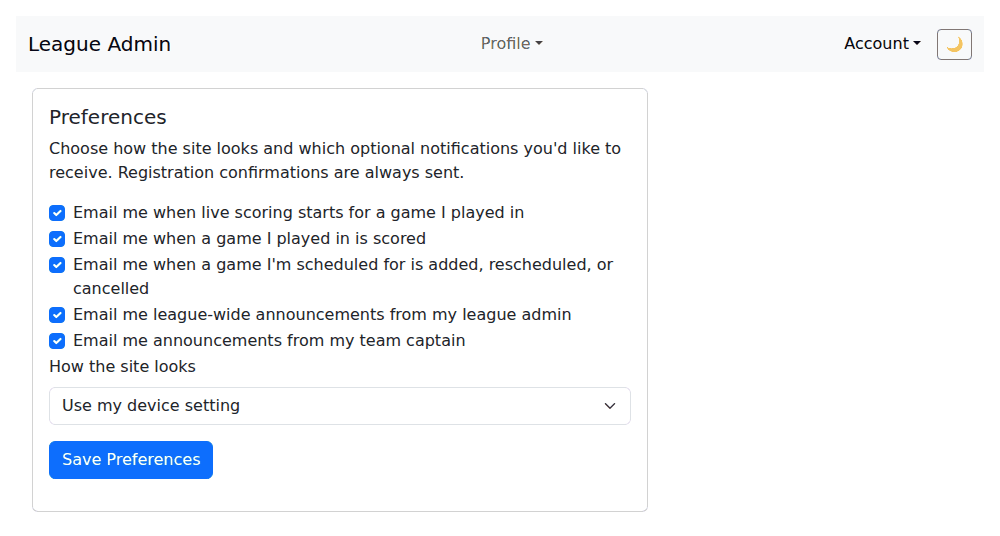
Registration confirmations are always sent, so they aren't in the list.
My Family, Migrate League Registrations, Delete My Account
These have their own pages: Family members, Bringing over older registrations and Deleting your account.
Last reviewed 2026-10-08