Family members
Family members are people you register for leagues, such as children. They don't log in; you manage them from your account. Their league history and stats are their own.
Add someone
- From the Account menu choose Profile, then My Family. Under Add a family member enter their first name, last name and gender and press the add button.
- Or add them while registering: choose Family Member on the league's sign-up form, then Add a family member....
Manage them
Each person has a card on My Family showing their gender and number of league registrations. You can:
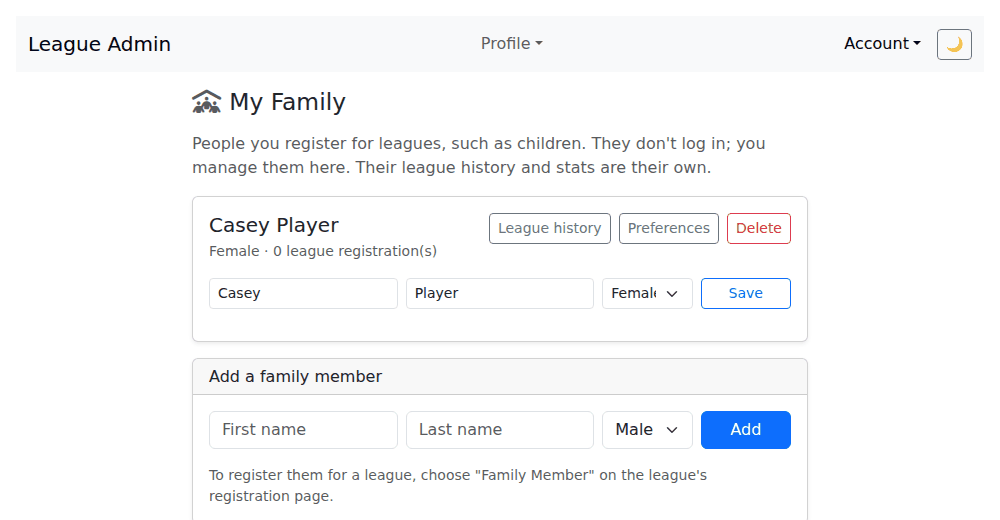
- Edit their name or gender and press Save.
- Open their League history.
- Open their Preferences. Their emails go to your address, since they share it.
- Delete them, which permanently deletes their league registrations. Games they played in keep their scores and statistics, with their name shown as "Deleted player". You can't delete someone while they are scoring or playing in a game that is in progress.
Register them
On a league's sign-up form choose Family Member and pick them from the list. People already registered for that league don't appear in the list.
Last reviewed 2026-10-04